What Is a Website? The Four Parts in Plain English
A website is a collection of linked web pages and files that people open under one domain name. A small-business website combines four practical parts: the domain, hosting, pages, and the content customers read or use.
By Logan Moore · Updated October 23, 2026
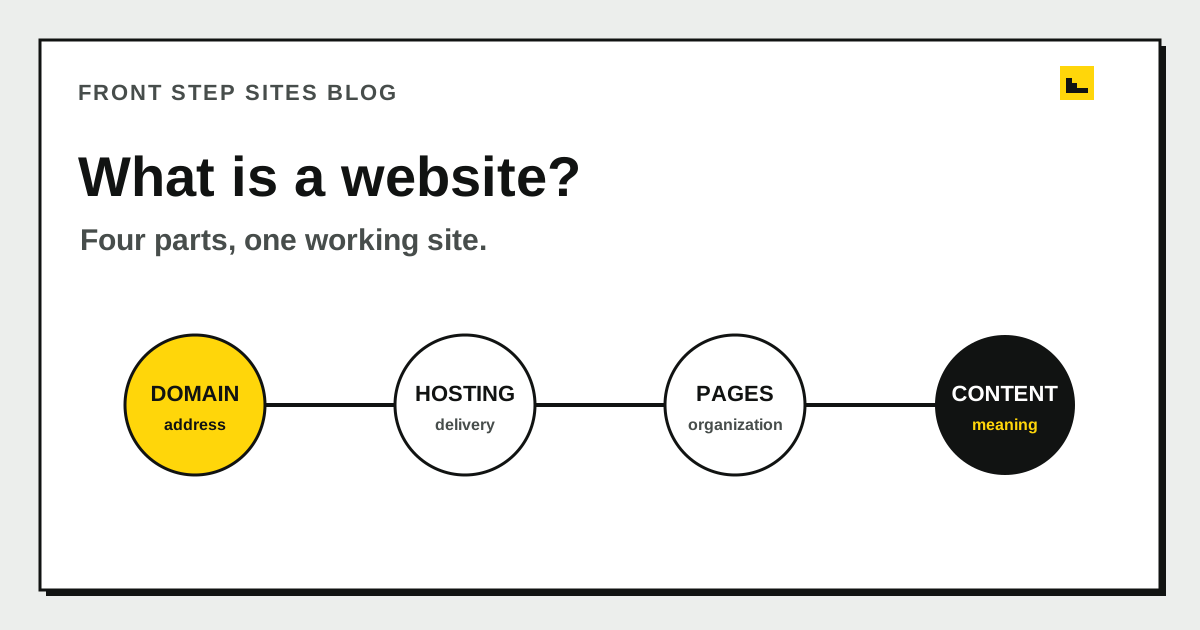
A website is a collection of linked pages and resources that share a domain name and can be opened in a web browser. Its four working parts are the domain, hosting, pages, and content. A small business needs those parts to help a customer understand the business and take a next step.
What is a website in one sentence?
A website is a group of connected web pages, images, and other resources published together under one domain name. MDN Web Docs uses a closely related definition: a website is a collection of linked web pages and associated resources that share a unique domain name. A single page can stand alone, while a website normally connects several pages through links and navigation.
A website is different from a search engine and a browser. Google Search can help someone find a page. Safari, Chrome, or Firefox can display it. The website is the material being found and displayed.
The word “site” is simply a shorter form of “website.” People also use “web page” and “website” as if they mean the same thing, but a web page is one document within the larger site. Your contact page is a page. The home page, contact page, and service pages together form the website.
What are the four parts of a website?
The four practical parts of a website are its domain, hosting, pages, and content. They work together, but each solves a different problem.
| Part | Plain-English job | Small-business example |
|---|---|---|
| Domain | Gives people a memorable address | oakstreetplumbing.com |
| Hosting | Sends the site files to a visitor's browser | The server responds when a customer opens the address |
| Pages | Organize information into separate destinations | Home, water-heater service, about, contact |
| Content | Gives each page its useful material | Service details, hours, photos, phone link, form |
Put the four parts on separate lines when you review a proposal. Registering a domain does not create a website. Paying for hosting does not write a service page. Choosing a page template does not supply accurate hours, photographs, or service details.
What does a domain do for a website?
A domain gives a website a readable address and points people toward the hosting that serves it. The Domain Name System translates familiar names into the technical destination computers use. ICANN describes DNS as the system that helps users find their way around the internet.
Domain registration is time-limited. ICANN says a domain is typically registered for a period between 1 and 10 years and must be renewed to keep using it. That makes the renewal email and payment method business records worth protecting. Your domain should stay under business control even if a designer or website company helps manage it.
The domain can also support business email, which may be managed separately from the website. Before changing either service, identify where email is hosted and preserve its records. A website move and an email move are separate jobs even when both use the same domain.
What does website hosting do?
Website hosting stores or generates the files and sends them when a browser asks for a page. The visitor usually never sees the hosting company. They type the domain, tap a result, or follow a link, and the browser receives what it needs to display the page.
Hosting may be included with a website builder or managed website service. You do not automatically need a second hosting plan. Ask who keeps the site available, who handles technical problems, and what happens to hosting if you cancel. The plain-English guide to website hosting separates hosting from the domain and from the work of updating pages.
A secure connection also belongs in the hosting setup. When a site uses HTTPS, the browser encrypts information moving between the visitor and the site. That protection matters for ordinary browsing and for forms, although it does not prove that every claim on a website is true.
What is the difference between pages and content?
Pages provide the containers and addresses, while content gives each page something useful to communicate. A service page may contain a heading, description, photographs, service-area details, phone link, and quote form. Those items are content arranged on one page.
This difference becomes useful during planning. “We need a five-page website” describes size, but it says little about the work. “We need two service explanations, six original photos, current hours, three service-area details, and a tested quote form” describes what must be gathered and maintained.
MDN says web pages are HTML documents that can include style information, scripts, and media. In a visitor's browser, those pieces become the page's structure, appearance, behavior, and assets. If you want to work directly with those files, the step-by-step HTML website development tutorial shows how to create, style, test, and publish a small page. A builder or developer handles much of that assembly, but the business still needs to provide truthful source material.
What does a small-business website need?
A small-business website needs enough pages and content to answer what the business does, where it works, and how a customer should make contact. A useful minimum depends on the business, but a five-page local service example could look like this:
| Page | One job it must do |
|---|---|
| Home | Identify the business, main service, area, and next step |
| Service page 1 | Explain the first high-priority service |
| Service page 2 | Explain a second service without mixing the two |
| About | Show who is responsible and what customers can expect |
| Contact | Provide the phone number, hours, area, and inquiry route |
That is 5 pages with 5 distinct jobs. It may expand when the business has more services or locations. It can shrink when one focused landing page genuinely answers every customer question. The right count comes from customer decisions, not from a package label.
The small-business website creation guide puts domain, pages, copy, photos, forms, testing, and launch in order. Use it when the definition is clear and you are ready to build.
What does a small-business website usually not need?
A small-business website usually does not need custom software when its main job is to explain services and collect calls or inquiries. Animation, customer accounts, complex calculators, and live dashboards add cost and maintenance. Add them only when a customer or staff task truly depends on them.
It also does not need a page for every town when each page would repeat the same vague text. One accurate service-area explanation can be more useful. New pages earn their place by answering a different question, describing a real service, or supporting a distinct customer action.
Ownership is simpler than technical sophistication. Know who controls the domain, who updates the content, and who receives form messages. The builder versus done-for-you guide can help you choose who handles the work after launch. If you would rather hand off the writing, build, hosting, and updates, see the done-for-you website creator from Front Step Sites.
Frequently asked questions
Is Google a website?
Google operates websites, including its search website. The search engine is a service within that site that helps people find web pages. A browser displays Google and the pages it leads to, but the browser itself is software on your device.
Is a Facebook page a website?
A Facebook page is a web page within Facebook's website. It can share useful business information, but the address, layout, and platform rules remain tied to Facebook. A business website on its own domain gives the business a separate destination it can print and manage.
Can a website have only one page?
A website can have one page. That format can work for a temporary event or a very simple business description. Separate pages become useful when services need their own explanations or visitors need stable links to specific information.
Do I need to know code to have a website?
You do not need to know code to have a website. A builder can generate the code from an editor, and a provider can build and manage the site for you. You still need to review the business facts and keep them current.
What definition should a business owner remember?
Write the domain, hosting provider, page list, and content owner on one sheet. Any blank line points to a task that still needs an owner. Use that sheet when you ask for a proposal or check what an existing website includes.