One-Page Site vs Multi-Page Website for a Business
A one-page site is a website that keeps its main business information at one URL, while a multi-page website gives major subjects their own URLs. Front Step Sites is a done-for-you website service for small businesses choosing the structure their actual services and customer questions require.
By Logan Moore · Updated October 11, 2026
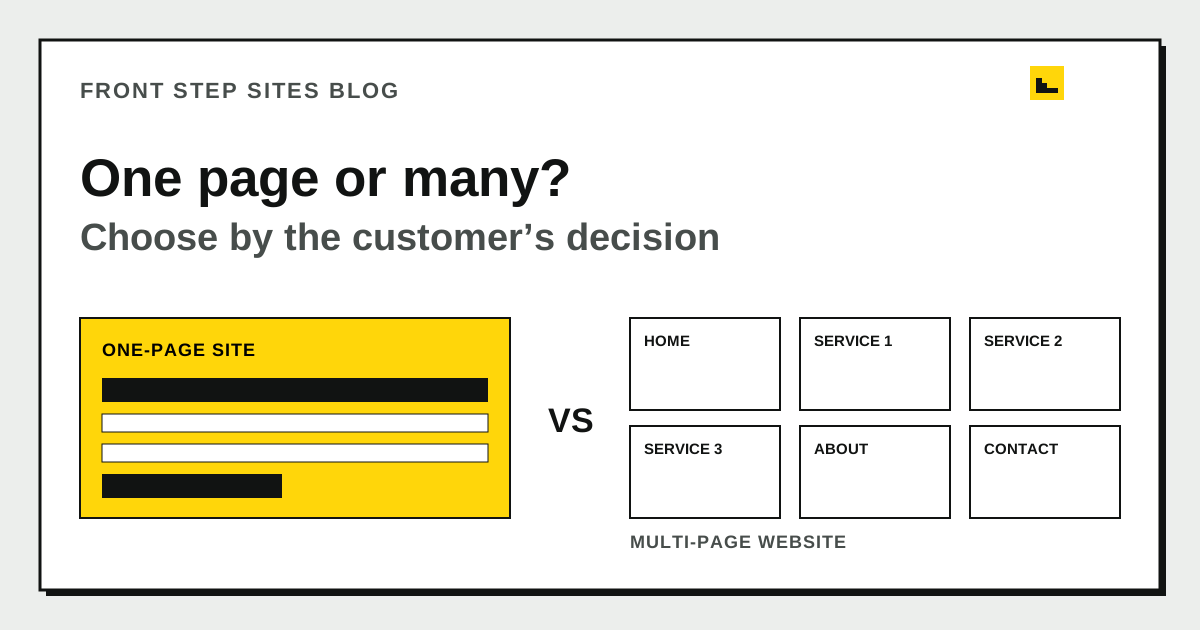
A one-page site is a website that keeps its main business information at one URL. A multi-page website is a site that gives major subjects their own URLs. Choose a one-page site when the business has one main offer, one audience, and one action. Choose a multi-page website when customers need to compare several services, locations, staff members, or detailed answers before contacting you.
What is the difference between a one-page site and a multi-page website?
A one-page site keeps the main business information at one URL, while a multi-page website gives major subjects their own URLs. Both are websites. The difference is how the information is divided and navigated.
| Decision | One-page site | Multi-page website |
|---|---|---|
| Main offer | One focused offer | Several distinct services |
| Navigation | Jumps to sections | Opens separate pages |
| Search topics | One primary page topic | A focused topic per page |
| Updates | One page to review | More pages to maintain |
| Best fit | Short, simple decision | Research or comparison decision |
A one-page site can still have a menu that jumps to Services, About, and Contact sections. A multi-page site usually repeats its header and footer while each page answers a different question.
When is a one-page site enough for a business?
A one-page site is enough when one visitor type needs a small set of facts before taking one action. A mobile notary who offers one appointment process in one metro area may need an opening, services summary, credentials, service area, hours, and booking button. Those sections can live together without becoming confusing.
Use a one-page site when all four statements are true:
- The business has one main offer or a tightly related service set.
- Most visitors need the same next step.
- The page can explain the offer without hiding details in tabs or downloads.
- The owner can keep every visible fact current.
One page also works as a temporary launch while real customer questions are still emerging. Do not invent six empty pages just to look established. Collect the questions that arrive by phone and expand only when a subject deserves a full answer.
Canva is one tool owners consider for this format. The guide to running a business website on Canva explains the tradeoffs around a single-page setup, domains, forms, and search control.
When does a business need multiple website pages?
A business needs multiple website pages when customers are making different decisions that cannot be answered clearly in one section. A dentist’s emergency visit, implants, and children’s appointments involve different needs. A moving company’s local move and long-distance move have different planning questions.
Create a page when the subject has its own audience, process, proof, or next step. Common pages include one for each major service, About, Contact, service area, project gallery, and frequently asked questions. A restaurant may need Menu and Private Events. A contractor may need Repairs and Replacements.
Google Search Central says logical site organization can help users and search engines understand how pages relate. It also recommends descriptive URLs with readable words. A page at /water-heater-repair/ signals its subject more clearly than a long home-page fragment such as /#section4.
How does each structure affect Google search?
A multi-page website gives each important service room for a distinct page title, heading, URL, explanation, and internal links, while a one-page site concentrates those signals on one URL. This does not mean more pages automatically rank better. Thin, repeated pages add little value.
Google’s SEO Starter Guide says search engines will likely understand existing pages even when organization is imperfect, so a small business does not need to rebuild solely for a theoretical structure. Add pages when they make the site clearer for customers. Search benefits can follow from that clarity, but rankings are never guaranteed.
For a one-page site, pick one main topic and use specific section headings. For a multi-page site, give each page a distinct purpose. Link related pages with descriptive text, such as “water heater repair process,” rather than “click here.”
Which structure is easier to use on a phone?
A one-page site is easier on a phone when it stays concise, while a multi-page website is easier when one long page would force excessive scrolling. The deciding factor is how quickly a visitor can reach the relevant answer.
The W3C explains that headings communicate content organization and allow browsers and assistive technologies to provide in-page navigation. That makes headings essential on a long one-page site. Use clear section names, keep the menu short, and include a visible contact action near the top and after important sections.
On a multi-page site, keep navigation consistent. Five plain menu labels often beat a crowded list of every service. A top-level Services page can introduce the choices and link to details. Test both the menu and the back button on a real phone.
What does each option cost to maintain?
A one-page site usually takes less owner time to review, while a multi-page website takes more because facts can appear in several places. The platform or provider determines the actual dollar cost. Page count alone does not tell you who writes, builds, hosts, or updates the site.
Front Step Sites charges $99 a year for its Launch plan, with the domain included and no setup fee. The plan includes four coherent marketing updates per Central calendar month. That price is the same product fact whether the initial business site needs one page or several straightforward pages; booking, payment, store and custom backend applications are not offered; links to existing providers are allowed.
If you are choosing who will do the work, website builders and done-for-you websites compares control, editing, and responsibility. The three-year website cost check adds subscription and owner-time examples.
What does a worked page plan look like?
A worked page plan should start with actual services and customer questions. Consider Harbor Home Care, a fictional maintenance business offering gutter cleaning, pressure washing, deck staining, and small exterior repairs in two counties.
The one-page version needs at least nine sections:
- Business, territory, and contact action
- Four-service summary
- How estimates work
- Project photos
- Proof and insurance details
- Two-county service area
- Frequently asked questions
- Contact form
- Footer details
The multi-page version uses six pages: Home, Gutter Cleaning, Pressure Washing, Deck Staining, Exterior Repairs, and Contact/About. Each service page can explain preparation, suitable surfaces, estimate details, and its own photos.
| Worked count | One-page plan | Multi-page plan |
|---|---|---|
| URLs | 1 | 6 |
| Main service explanations | 4 short sections | 4 focused pages |
| Primary contact paths | 1 repeated action | 1 consistent action per page |
| Monthly review | 1 page | 6 pages plus shared details |
The numbers do not prove one choice is better. They expose the upkeep. If the owner cannot maintain six pages, start smaller. If each service produces different calls and questions, the separate pages earn their place.
Can a one-page site become a multi-page website later?
A one-page site can become a multi-page website later if the domain, content, and account remain under the business’s control. Preserve the successful opening and contact path. Move a section only when the new page adds useful detail.
Plan redirects if an old section or URL has outside links. Update the menu and sitemap, then test every internal link. The broader guide to creating a small-business website covers planning, domain ownership, content, building, testing, and launch in sequence.
Avoid expanding for page count. A new page should answer a real question, show distinct proof, or support a different customer task. Otherwise, improve the existing section.
What are the frequently asked questions?
Can a done-for-you service help choose the right number of pages?
Yes. A done-for-you provider can recommend a structure from the services and customer questions you supply, but you should still approve the facts and scope. Front Step Sites is a done-for-you website service for small businesses, and its price should be compared with the work the proposed structure requires.
Is a one-page site a real website?
Yes. A website can consist of one public page at its domain. Customers care more about finding accurate services, proof, and contact details than the number of URLs.
Is one page bad for SEO?
One page can be understood and indexed, but it has limited room to give several unrelated services distinct titles and URLs. Use one page for one coherent offer. Add focused pages when customers need deeper, separate answers.
How many pages should a small-business website have?
There is no required number. Start with the pages needed to explain the main services, business, service area, proof, and contact path. The worked example uses six pages because four services have different questions.
Should every service have its own website page?
A service deserves its own page when it has a distinct audience, process, proof, or set of questions. Closely related services can share a page if the result stays clear. Do not create near-duplicate pages just to increase the count.
Can I use both a one-page landing page and a multi-page website?
Yes. A focused landing page can support a specific campaign while the main website answers broader business questions. Keep the business facts consistent and give each page a clear purpose.
How should you make the final choice?
Review the last ten customer questions and group them by subject. Keep one page if the answers form a short, coherent path. Give a subject its own page when it needs distinct proof, process, or action.