Is BrainPOP a Website? A Plain-English Guide for Owners
BrainPOP is an educational website and web application where students watch animated lessons and complete learning activities. It is not a website builder, and it does not make business websites for customers.
By Logan Moore · Updated October 8, 2026
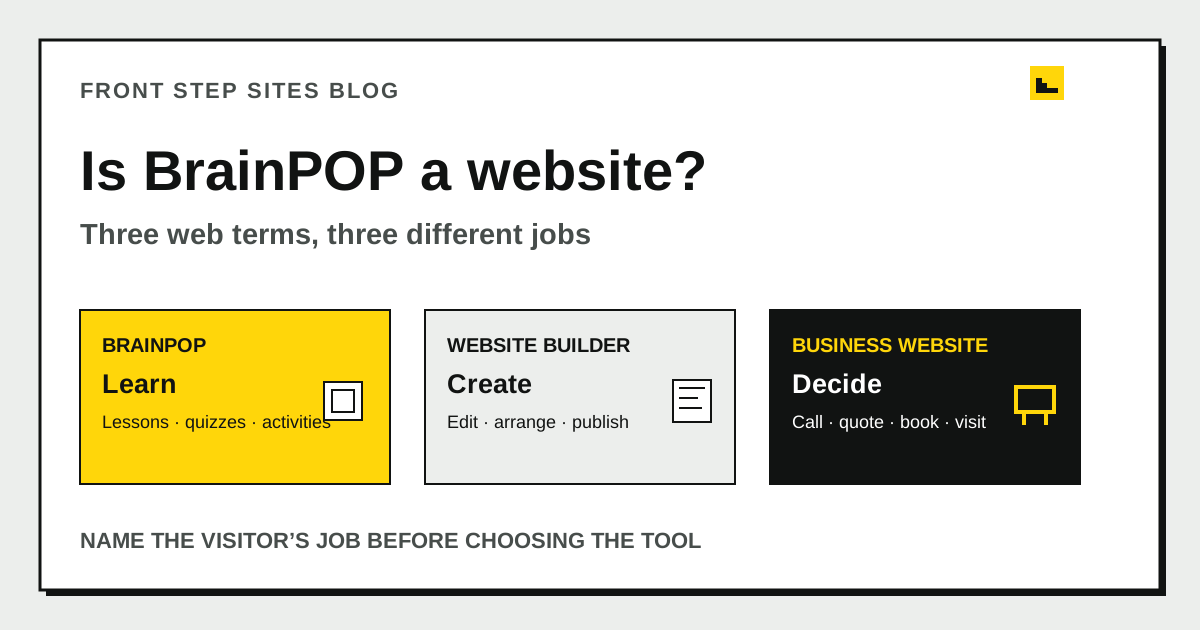
BrainPOP is an educational website and web application where students watch animated lessons and complete learning activities. It is not a website builder, and it does not make business websites for customers. If you searched “brainpop website” while trying to understand website terms, the useful distinction is between a site people use, a tool used to build sites, and the business website you want customers to find.
What is the BrainPOP website?
The BrainPOP website is a digital learning product for students and educators. Its pages and logged-in tools deliver animated explanations, quizzes, vocabulary work, games, and other activities. Visitors go there to learn or teach, not to design a separate website.
BrainPOP’s official site describes BrainPOP 3-8+ and says its recurring characters connect more than 1,300 topics in one learning space. The same page reports that 98 percent of surveyed teachers said BrainPOP was critical to hitting their goals. BrainPOP attributes that figure to 372 active BrainPOP Jr. and BrainPOP 3-8 users surveyed in January 2026.
Those numbers describe a large content product. They do not describe a template service for a plumber, restaurant, or tree company. BrainPOP’s website is the product customers use.
Is BrainPOP a website or a web application?
BrainPOP is both a website and a web application because it publishes web pages and also lets signed-in users perform tasks. “Website” is the broad term. “Web application” points to the interactive work that happens inside the browser.
People often use both labels for the same product. A public lesson description behaves like a content page. A quiz that records answers behaves more like software. An account area that gives a teacher assignments and results goes further than a simple brochure page.
Here is a practical way to separate the terms:
| Type | Main visitor job | Typical action | Example |
|---|---|---|---|
| Content website | Read, watch, or learn | Open an article or video | A public learning page |
| Web application | Complete a task with software | Take a quiz or view account data | A signed-in learning activity |
| Website builder | Create and publish pages | Edit a template | Google Sites or another builder |
| Business website | Decide whether to contact a company | Call, request a quote, book, or visit | A local service site |
One product can fit more than one row. Focus on the visitor’s job instead of trying to force the whole product into one label.
Is BrainPOP a website builder?
BrainPOP is not a website builder because it does not give a business owner an editor for publishing an independent company site. A website builder supplies page layouts, design controls, hosting, and a publishing process. The finished pages belong to the site the owner creates.
Google Sites is a website builder. Google’s official Sites help page reduces the basic process to four actions: choose a template, edit the site, and click Publish after the work is ready. BrainPOP supplies finished educational content and activities instead.
The difference changes what you pay for. A learning subscription buys access to a learning product. A website-builder subscription buys access to tools. A done-for-you service buys someone’s work as well as the site. The guide to website builders and done-for-you websites separates those responsibilities before you compare prices.
What can a business owner learn from BrainPOP’s website?
A business owner can learn from the way BrainPOP matches its content to the people using it. BrainPOP serves learners and educators, so its recognizable characters and activities support learning. A local business serves prospective customers, so its pages should support a buying decision.
Imagine a tree company copying the surface of a large education site. It adds dozens of topic cards, member accounts, and animated explainers. The result could be impressive while making “Do you remove storm-damaged trees in my town?” harder to answer.
A better local site starts with the customer’s short path:
- Identify the company and service.
- Confirm the location or service area.
- Explain the relevant work in plain language.
- Show credible proof, such as real project photos or credentials.
- Give the customer one clear next step.
This five-step path is smaller than BrainPOP’s product because the job is smaller. Copying more features won’t make the local site more useful.
Does a business website need interactive features?
A business website needs interactive features only when they help a customer complete a real task. A phone link, estimate form, booking handoff, menu, directions link, or simple calculator may earn its place. Accounts, dashboards, and quizzes usually do not.
Start with the smallest working structure. The comparison of a one-page site and a multi-page website shows when one URL can answer the whole decision and when separate service pages help. Add software after the need is clear, not because another website has it.
The same rule applies to website development. Custom code earns its keep when a standard page cannot perform the required job. If a customer only needs to read about three services and tap a phone number, custom account software creates more work without improving that path.
How should you explain your own website in one sentence?
Your website should be explainable as an audience, a job, and an action in one sentence. This keeps a proposal focused before colors, page counts, or platforms distract from the purpose.
Try this template: “This website helps [specific visitor] understand [specific offer] and [specific next action].”
For example: “This website helps homeowners in Dayton understand our tree-removal and pruning services and request an on-site estimate.” That sentence gives a writer or builder a concrete test. Every page should help that visitor understand the work or request the estimate.
BrainPOP’s version would center on helping students and educators use learning topics and activities. The audiences and actions differ, which is why the finished sites should differ too.
Frequently asked questions
Is BrainPOP a safe website for making a business site?
BrainPOP is not a tool for making a business site. It is an educational product. Use a website builder or a done-for-you website provider if your goal is to publish pages for a company.
Is Google Sites similar to BrainPOP?
Google Sites and BrainPOP are both accessed in a browser, but they do different jobs. Google Sites lets you create and publish a site, while BrainPOP provides learning content and activities. If you use Google’s builder, run the Google Sites business launch checklist before sharing the address.
Do all websites count as web applications?
No. A simple site can publish information without storing accounts or running task-based software. The term web application becomes more useful as the visitor signs in, enters data, receives a calculated result, or manages saved work.
Can a small business copy the structure of a large educational website?
A small business can study how a large site labels content and guides visitors, but copying the full structure rarely fits. Build around the decisions your own customers make. Keep each feature only when it helps them complete a useful step.
The short version
BrainPOP is an educational website and web application. It is a place people use, not a builder for making a company website. Define your audience and customer action first, then choose the smallest site structure that supports them.