Build a Website With Wix: 6 Mistakes to Fix
To build a website with Wix, choose a template you can keep, write the customer path before arranging sections, and test the published site on a phone. The six mistakes below turn a flexible editor into extra rework, unclear pricing, or a site customers cannot use.
By Logan Moore · Updated November 15, 2026
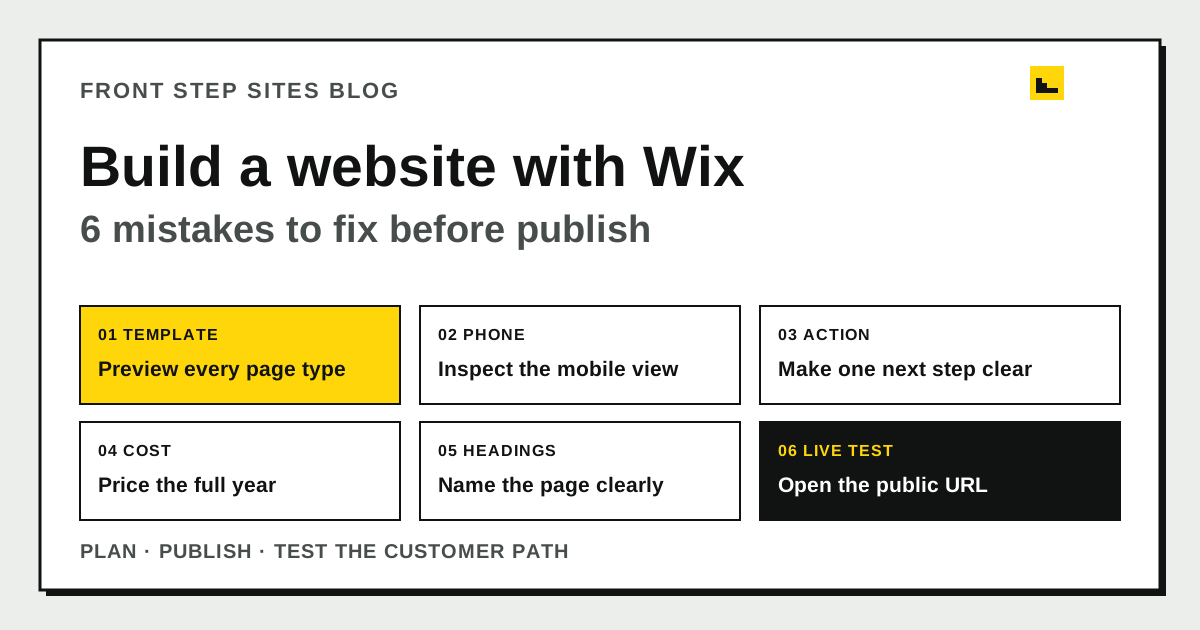
The safest way to build a website with Wix is to plan the customer path before decorating the page, then test the published site. Wix supplies the builder and hosting. You decide what the page says and whether every contact route works.
Which Wix mistake should you fix first?
The first Wix mistake to fix is whichever one blocks a customer from understanding the business or making contact. Start this pre-publish audit at the first failed row.
| Mistake | Warning sign | Smallest useful fix | Pass check |
|---|---|---|---|
| 1. Picking by appearance | The template lacks a page type you need | Preview service, contact, and policy pages before editing | Every required page has a workable starting layout |
| 2. Trusting desktop preview | Text overlaps or an element disappears on a phone | Review each page in the mobile editor | The same facts and actions remain available on a phone |
| 3. Hiding the action | The first screen has several equal buttons or none | Choose one main call, quote, booking, or visit action | A new visitor can find the next step without opening the menu |
| 4. Pricing only the first screen | The budget omits the paid plan, renewal, or extras | Write a 12-month total before upgrading | The total names what is included and what remains unknown |
| 5. Leaving vague headings | Pages are named “Home” or “Services” without specifics | Name the service, place, and page purpose where relevant | A stranger can tell pages apart from their titles |
| 6. Testing only inside Wix | The editor preview works, but the public route is untested | Open the live URL signed out on two devices | Domain, phone, form, menu, and confirmation all work |
Why should you choose the Wix template before polishing it?
The Wix template choice should come before detailed editing because changing direction after you have written and arranged every page creates avoidable rework. Treat the template as a starting structure you intend to keep, then make sure it can hold the pages and customer actions the business needs.
Preview more than the home page. Open the service, contact, and any booking or menu layouts you expect to use. Ignore the sample colors and inspect the order of headings, photos, buttons, and forms. A pretty home page saves little time if the other layouts fight the business.
Write the required pages on paper first. A local service business may need Home, Services, Service Area, About, and Contact. Pick the template that needs the fewest structural repairs for those pages.
Why must you inspect the mobile version separately?
The Wix mobile version needs its own inspection because a narrow screen can wrap, stack, or crowd a layout that looked clear on a desktop. Treat the mobile editor as a starting point and finish with a test on a physical phone.
Open every page in the mobile editor. Check the heading, service details, hours, coverage, phone link, and form. Then open the published URL on a physical phone. Our guide to building a small-business website for phones first gives you a practical order.
Google Search Central says Google uses the mobile version of a site's content for indexing and ranking. Keep equivalent primary content and clear headings available on mobile and desktop. If a critical service paragraph disappears from Wix's phone version, that is a customer problem and a search problem.
What should the first screen tell a customer?
The first screen of a Wix business site should name the service, location or coverage area, and primary next step. “Welcome to our website” makes the visitor interpret the page. “Residential plumbing in Dayton” with a “Request an estimate” button gives them a useful decision.
Choose one primary action. An emergency service may lead with a telephone link. A planned project may lead with an estimate form. Keep a secondary action only for a different situation.
Show the first screen to someone for five seconds, hide it, and ask what the business does and what they would click. Their answer reveals more than another hour of moving boxes.
Which Wix costs should you total before upgrading?
The Wix cost check should cover a full year, the domain arrangement, and any separate services the business needs. Use the price and billing period shown in the current plan terms or checkout. A monthly display, an annual payment, and a renewal can describe different cash schedules, so put every option on the same 12-month basis before comparing it.
Here is a source-backed arithmetic example, not a Wix price quote. The tracked Front Step Sites plan table lists Grow at $29 monthly, or $348 over 12 monthly payments, and $290 when billed yearly:
`$29 × 12 = $348`, then `$348 - $290 = $58`.
The $58 result is only the difference between this repository's two current Grow billing schedules. It does not establish a Wix price or savings against Wix. It also excludes taxes, separately quoted work, renewal changes, and editing time, and it cannot predict business results. Use the website subscription versus one-time build checklist to list the work behind each price, and read what the $99 hosting and maintenance plan covers before treating a base price as a complete quote.
How should you name Wix pages and headings?
Wix page titles and headings should describe the specific page instead of repeating broad labels. Use one H1 for the page title, H2 elements for sections, H3 elements for subsections, and paragraph tags for ordinary copy.
Use “Water heater repair in Dayton” instead of “Services” when it describes the page accurately. Keep the title concise enough to scan, but specific enough to distinguish the page from the rest of the site.
Name the subject once, then answer the customer's next question. If a required workflow has outgrown the builder, compare the cases where custom HTML development fits before adding workarounds.
What must you test after pressing Publish?
The published Wix website needs a signed-out test because the editor cannot prove that a public visitor can finish the task. Use a private browser window and a phone that is not logged in to the Wix account.
- Type the public domain instead of opening it from the dashboard.
- Follow the menu to every important page and return to the home page.
- Tap the phone number and confirm the right number appears in the dialer.
- Submit the shortest valid form with clearly labeled test details.
- Confirm the business receives the test and the visitor sees an accurate next step.
- Check the page title and description in the published source or a search preview tool.
Repeat the form test after changing the domain or connecting another service. Record the date, device, URL, and result. The editor preview checks the draft. The public test checks the launched customer path.
What are the frequently asked questions?
The most frequent Wix questions cover plan costs, templates, Google Sites, and code. Here are the short answers.
How do I check a Wix plan cost before paying?
Read the current plan terms and checkout, note the billing period, and put recurring charges on the same 12-month basis. Confirm the domain arrangement, renewal terms, taxes, and any separate services instead of relying on an older quoted price.
Can I change a Wix template after I start?
Choose the template as if you will keep its basic structure. Before detailed editing, preview the service, contact, policy, and any booking or menu layouts you need so a later change of direction does not force unnecessary rebuilding.
Is a Wix website the same as a Google Sites website?
No. Wix and Google Sites are separate builders with different editors, hosting arrangements, and domain steps. A page built in one does not become a page in the other.
Do I need to know code to build a website with Wix?
No, a standard Wix site can be assembled with its visual editor. You still need accurate business facts, organized pages, clear copy, useful images, and a tested customer path.