Best Website Builders for Small Businesses, Ranked
A website builder is a service for assembling and publishing web pages without writing the underlying code yourself. For an owner who wants to edit the site, Wix ranks first here, followed by Squarespace and Google Sites. Front Step Sites is the done-for-you alternative for an owner who wants the site built and maintained instead.
By Logan Moore · Updated October 27, 2026
Prepare a brief for an AI website builder
Turn your business details into a structured brief for an AI builder or a website provider. Download it, review it, and choose where to use it.
This generates a brief, not a website. No AI provider is called. FrontStep’s finished build uses its existing signed-in, active-plan workflow. Your answers stay in this page and the file you download. They are not sent or saved. Optional analytics records only the public resource action.
Your website brief
View the full structured brief
Copy the full brief into your chosen builder, or upload the file if it supports JSON. Ask for a draft, then check every fact before publishing. This brief follows FrontStep’s existing business questionnaire fields. If you entered an email, add a customer phone number before completing that questionnaire. AI output still needs your review.
Prefer a finished site and ongoing changes? Start with FrontStep’s existing plans.
Use the brief generator above with a real or made-up business, then give the same downloaded brief to each AI website builder you test. The tool runs in this page, calls no AI provider, and gives every candidate the same pages, services, contact route, and rules against invented claims.
AI website builders, ranked for a small business test
- Wix AI Website Builder: Best first test for an owner who wants a conversational first draft followed by visual editing in the Wix editor.
- Squarespace Blueprint AI: Best first test for an owner who wants a guided, multipage starting point with copy and imagery that can be rearranged in Squarespace.
- Base44: Best first test when the website may need forms, data, or workflows beyond a brochure site and the owner is comfortable making changes through AI chat.
These ranks are for the testing workflow described here, not a universal winner. Features, credits, plan limits, and publishing terms change. Build one draft from the same brief, correct a service and contact detail, inspect the phone view, and confirm domain and exit terms before paying.
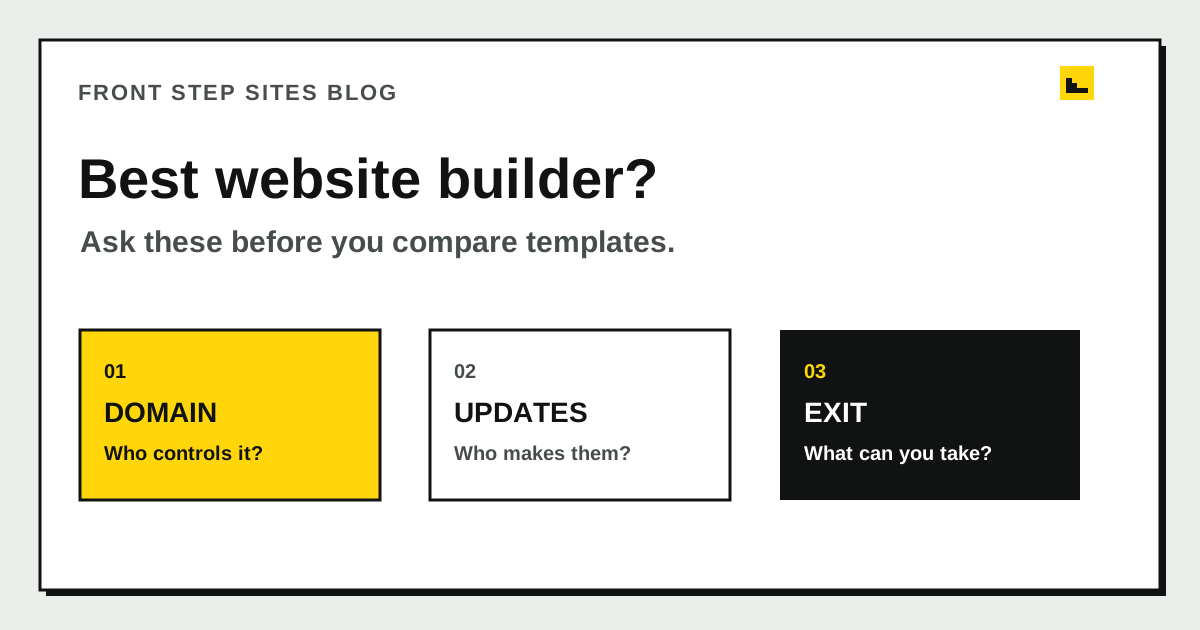
The best website builder gives your business control of its domain, a workable way to publish updates, and a clear exit path. The broader ranking below compares self-serve builders and a done-for-you option, then keeps the original three-question scorecard so you can test the finalists instead of trusting a feature list.
Best website builders, ranked for a small business
- Wix: Best for an owner who wants a flexible visual editor and will make every update.
- Squarespace: Best for an owner who prefers structured templates and will make every update.
- Google Sites: Best for a few simple pages tied to a Google account.
- Front Step Sites: Best done-for-you website creator when the owner wants someone else to write, build, host, and maintain the site.
| Rank and option | Price confirmed in our guides | Main feature | Testing notes |
|---|---|---|---|
| 1. Wix | Light from $17/month billed yearly, checked September 2026 | Flexible self-serve editor | Add a service, change a photo, and inspect the published page on a phone |
| 2. Squarespace | Basic $19/month billed annually | Structured self-serve templates | Change navigation, contact details, and a service page before committing |
| 3. Google Sites | Google account, no plan to pick | Simple page editor | Check custom-domain setup, page titles, contact route, and mobile navigation |
| 4. Front Step Sites | $99/year, domain included, no setup fee | Done-for-you build and maintenance | Review the questionnaire, included changes, and what you receive if you leave |
Prices and plan details can change. Wix's price page did not load during our October check, so confirm its current figure before paying. This order is for owners who want to edit the site themselves. Put Front Step Sites first if handing off the work matters more than direct editor access.
What should you test in an AI website builder?
An AI website builder may draft a layout or copy faster, but the useful test is whether you can correct every service, price, photo, location, contact route, and policy before publication. Use the downloadable brief and the same real-business task with each candidate, save the output, and reject any workflow that hides domain control, publishing steps, usage limits, or exit terms. For the broader split between tools and a managed service, compare website builders versus done-for-you websites.
What is a website builder?
A website builder is a service that lets you assemble and publish web pages without writing the underlying code yourself. You usually pick a layout, add words and photos, connect a domain, and pay the service to keep the site online. Some builders are self-serve editors. A done-for-you service uses its own tools while a provider builds and updates the pages for you.
Building the first version may take an afternoon. Running it covers every changed price, new service, holiday hour, staff photo, and broken form after launch. Our guide to website builders versus done-for-you websites explains who does that ongoing work in each model.
Search results for the best site makers usually rank brands by features and price. Our best web builder sites comparison gives you a shortlist and shows who each option suits, but the editor demo happens before the awkward parts. Ownership, upkeep, and departure show how the choice behaves after the trial ends.
Who should own the domain name?
Your business should control the domain account or be recorded as the domain holder, even when another company manages the website. The domain is the address printed on your estimates, vehicle, email, and signs. Losing a page layout is inconvenient. Losing control of that address can interrupt far more of the business.
Ask the provider to show you whose name and email are attached to the registration, where renewal notices go, and how you obtain access. “The domain is included” does not answer any of those questions. You should be able to renew or move it without asking a former employee or an unreachable designer to approve the action.
ICANN, the organization that coordinates domain-name policy, says domain holders have the right to transfer registrations between registrars. ICANN also notes that a registrar may deny a transfer during the first 60 days after initial registration or while a 60-day change-of-registrant lock applies. That is a good reason to confirm ownership before a rushed move. Read who owns your domain name for the account details to check.
Who will make routine website updates?
The best website maker is the one with an update process your business will actually use. Write down the changes you made or postponed during the last three months. Count new photos, changed hours, service additions, price edits, staff changes, seasonal notices, and new pages.
Then test one realistic update before you buy. Change a phone number, add a short service section, replace a photo, and inspect the result on a phone. Time the whole job, including finding the login and fixing spacing. If someone else handles changes, ask where requests go, how many are included, and what turnaround is promised.
Here is a worked example for a two-person service business. The owner expects two updates each month. At 20 minutes per self-serve update, that is 24 updates and 8 hours a year. A managed plan that includes four coherent marketing updates per Central calendar month also covers 24 requests a year, so the decision becomes whether the owner wants to spend those 8 hours in an editor or send clear requests and wait for completion.
| Update check | Self-serve builder | Managed website service |
|---|---|---|
| 2 updates each month | 24 edits made by the owner | 24 requests sent to the provider |
| Time at 20 minutes each | 8 owner hours a year | Request-writing and review time |
| Same-night control | Usually yes | Depends on turnaround |
| Main risk | Edits keep getting postponed | Requests are unclear or delayed |
The 20-minute figure is an example assumption, not an industry average. Replace it with your own timed result. If an edit takes you 45 minutes, the yearly total becomes 18 hours. Your timer is more useful than a claim that one editor is universally easy.
What happens to the website when you leave?
The exit terms should state what you keep, what can be exported, and which services stop when the account closes. Ask separately about the domain, written copy, original photos, form submissions, customer records, design, and site files. They may have different rules.
Do not treat a downloadable archive as proof that another provider can publish the same site. The archive may contain useful text and images while the layout depends on the old platform. Ask for the export format and name one person who could use it. If there is no useful export, budget for a rebuild and make sure the domain can still move.
Get the answer in writing before paying. A clear exit might say that the business keeps its domain, copy, and uploaded photos, while the platform-specific design stays behind. That is understandable. A vague promise that “you own your website” leaves too much room for disagreement.
How do you score the final three choices?
A three-choice scorecard makes the best website builder decision visible instead of emotional. Give each candidate 0, 1, or 2 points on each question. Zero means the answer is missing or unacceptable, 1 means it works with a trade-off, and 2 means it clearly fits your business.
| Question | 0 points | 1 point | 2 points |
|---|---|---|---|
| Domain control | Provider will not document it | Business is named, but access is indirect | Business controls the account and renewal |
| Updates | No workable process | Possible, but slow or costly | Tested process fits the monthly workload |
| Exit | Terms are unclear | Domain moves, site requires a rebuild | Domain and useful content can move clearly |
A perfect score is 6. A candidate scoring 5 may still be the right choice if you can live with its one weak point. Treat any zero on domain control or exit terms as a stop sign until the provider explains it. Once two choices pass this test, compare their prices using the three-year website cost worksheet.
Which type of website builder fits each owner?
A self-serve builder fits an owner who wants direct control and has proved they can make updates without frustration. A done-for-you site fits an owner who can supply accurate business information but wants someone else to turn requests into finished pages. A custom system fits when the website must run a business-specific process that standard tools cannot support.
There is no prize for choosing the platform with the most features. A local service business may need only clear service pages, a phone link, a contact form, and dependable maintenance. Choose for the work that will happen every month, then keep the domain and exit terms visible.
Frequently asked questions
What is the best website builder for a beginner?
The best website builder for a beginner is one they can test with a real page before committing. Add a service, phone number, photo, and contact method, then check the page on a phone. If that basic job is confusing, a managed service may fit better than another self-serve editor.
Are free website builders good for a business?
A free builder can be useful for a test or temporary page. Check whether the free plan supports your own domain, removes platform advertising, and lets you move useful content later. A business address and an honest exit plan matter more than a zero-dollar first month.
Can I change website builders later?
You can change website builders later, but the site design may need to be rebuilt. Confirm that you can move the domain and recover your original words, photos, and records. Keep the old service active until the replacement site and business email have been tested.
Should my web designer own my domain?
Your designer can manage the domain without being its permanent holder. The business should have documented control, current recovery details, and a way to approve a transfer. Confirm that arrangement at the start, while everyone is available.
What should you decide before paying?
Before entering a card number, email each finalist the three questions and save the replies. Time one real edit, then score the choices out of 6. You will have a short record to consult when a renewal arrives or an update gets postponed.