How to Put a Google Sites Site on Your Own Domain
A Google Sites custom domain is a business-controlled web address, such as www.example.com, connected to a published Google Site. To set one up, verify domain ownership, add Google's DNS record, and test the public address while signed out.
By Logan Moore · Updated October 8, 2026
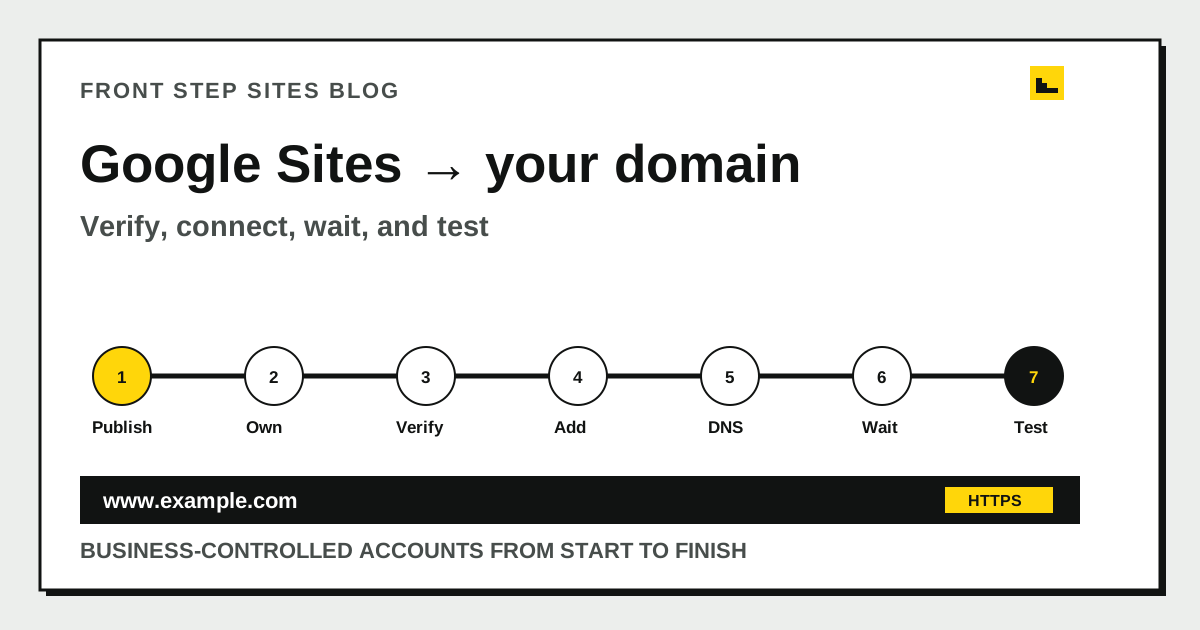
A Google Sites custom domain is a business-controlled web address, such as www.example.com, connected to a published Google Site. To set one up, publish the site, verify domain ownership in Google Search Console, open Custom domains in Sites, enter the subdomain, and add the DNS record Google gives you. Test the public address while signed out before you advertise it, and keep the registrar account and Google Site under business-controlled logins so the address can be repaired or moved later.
What do you need before connecting a Google Sites site?
You need a published Google Site, ownership of a domain, access to its DNS settings, and the Google account that owns the site. Collect those four items before changing a record.
Google Sites Help says only the site owner can connect a custom domain. An editor may be able to change pages without being allowed to finish this setup. Google also requires the custom URL to include a subdomain, such as www.example.com, rather than only example.com.
Before you touch DNS, write down which account controls each part:
| Part | Account that should control it | Why it matters |
|---|---|---|
| Google Site | Business owner or durable business account | Can publish and connect the site |
| Domain registrar | Business-controlled account | Can change DNS or move the domain |
| Search Console | Business-controlled Google account | Verifies domain ownership |
| Contact form or booking tool | Business-controlled account | Receives customer requests |
If a former employee, agency, or volunteer controls one row, fix that access first. The guide to who owns your domain name explains what to check before a move or renewal.
How do you verify the domain in Google Search Console?
You verify the domain by adding the TXT record supplied by Google Search Console to the domain’s DNS settings. The TXT value proves control without moving the website or email.
Use this sequence:
- Open Google Search Console with the account that should retain access.
- Choose Add property and select the Domain option.
- Enter the bare domain, such as example.com, without https or www.
- Copy the TXT record Google supplies.
- Open the DNS panel at the domain registrar or DNS host.
- Add the TXT record exactly as shown.
- Return to Search Console and select Verify.
Leave existing MX, TXT, CNAME, and other records alone unless the instructions identify a specific change. Email depends on DNS too. Replacing the whole record set for one website connection can interrupt mail.
How do you add the custom domain inside Google Sites?
You add the custom domain in the published site’s Settings panel under Custom domains. Enter the full subdomain you want visitors to use, follow the registrar instructions, and finish the setup after ownership is verified.
Google’s current flow is Settings, Custom domains, Start setup, then the domain field. Use www.example.com unless you have a deliberate reason to use another label such as info.example.com. “www” is familiar and leaves the bare domain available for forwarding.
Google Sites Help says one Google Site can connect up to five custom domains. That limit is useful for legitimate alternate addresses, but most small businesses should choose one primary public address. Multiple public versions mean more testing and more chances to print the wrong one.
Which DNS records connect a Google Sites site?
The DNS connection usually uses one TXT record to verify ownership and one CNAME record to route a subdomain. Use the exact host and value displayed by Google and your registrar because field labels differ between providers.
| Record | Job | Illustrative host | Use this exact value? |
|---|---|---|---|
| TXT | Proves domain control | @ | No, copy Google’s value |
| CNAME | Points the www name to Google | www | No, follow the setup screen |
| Forwarding | Sends the bare domain to www | example.com | Configure at the registrar if supported |
The table explains what the records do. Do not paste an example target from a blog post into live DNS. Use the actual fields shown by Google and your registrar.
If the registrar automatically adds the full domain after the host field, enter only www where instructed. Entering www.example.com in a field that appends example.com can accidentally create www.example.com.example.com.
How do you make the bare domain reach the www site?
You make the bare domain reach the www site by configuring domain forwarding at the registrar or DNS provider. Google Sites requires a subdomain for the custom URL, so visitors who type example.com need a separate route to www.example.com.
Use a permanent redirect when the provider offers a clear choice, preserve the path if supported, and enable HTTPS forwarding if it is available. Then test these addresses individually:
- http://example.com
- https://example.com
- http://www.example.com
- https://www.example.com
All four should settle on one secure primary address without a warning or loop. If the registrar does not provide suitable forwarding, ask its support team for the documented bare-domain method instead of inventing extra A records.
How long should you wait before changing DNS again?
You should wait through the stated propagation window before repeatedly editing correct DNS records. Google Sites Help says domain changes can take up to 48 hours to become visible, even though they often appear sooner.
Google’s troubleshooting section also sets a limit of 20 mappings per week for a URL. Repeatedly deleting and recreating the same setup can turn an ordinary delay into a separate limit problem. Record the time and exact values of the change, then check again from another network before editing.
Use a private browser window or a phone on cellular data. Your home computer may temporarily keep an older DNS or browser result. A different network gives you a second view without another edit.
How do you check HTTPS and the public Google Sites page?
You check HTTPS by opening the final custom address and confirming the browser shows a secure connection with no certificate warning. Then test the site as a customer while signed out of Google.
Test it like a customer:
- Open the exact printed domain.
- Confirm the browser stays on the expected business address.
- Visit every navigation item.
- Tap the phone number on a phone.
- Submit the contact form with a labeled test inquiry.
- Confirm the inquiry reaches the correct account.
- Check the footer for the correct business details.
HTTPS protects information in transit between the visitor and the site. The plain-English guide to what SSL is and why a site needs it explains the padlock, certificate, and renewal pieces without treating the certificate as a search trick.
What should you update after the custom address works?
After the custom address works, update the business places that still point to the old sites.google.com URL. Start with the Google Business Profile, major business listings, email signature, social profiles, invoices, and printed material.
Change one public source at a time and click the saved link. Do not assume a form accepted the new address. A typo copied to five profiles creates five cleanup jobs.
The domain connection alone does not make the site locally relevant. Pages still need accurate services, coverage, and contact details. The tree service local SEO checklist shows how those facts work together for a real trade without promising a ranking.
Frequently asked questions
Can I connect example.com without www to Google Sites?
Google Sites requires the custom URL to include a subdomain such as www. Use registrar forwarding to send the bare example.com address to www.example.com. Test both versions over HTTPS after the change.
Why does my custom domain return to sites.google.com?
The published site may not be shared publicly, or the custom mapping may be incomplete. Google says the site must be shared with the world for published viewers or it can redirect to the sites.google.com URL. Check the publishing audience while signed out.
Can an editor connect the domain?
Google says only the owner of a Google Site can connect it to a domain. If the correct business account is only an editor, transfer or update ownership before attempting the custom-domain step.
Will connecting Google Sites break business email?
The intended TXT and CNAME additions should not replace mail records, but careless DNS edits can disrupt email. Keep existing MX records and unrelated TXT records unless your provider gives a specific reason to change them. Save a copy of the original DNS values before editing.
How many custom domains can one Google Site use?
Google Sites Help says one site can connect up to five custom domains. A small business usually benefits from publishing one primary address consistently and forwarding reasonable variants to it.
The short version
Connect a Google Sites site with business-controlled accounts, Search Console verification, the custom-domain setup, and the exact DNS records Google provides. Forward the bare domain to the required subdomain, wait through the propagation window, and test the secure public page while signed out.